



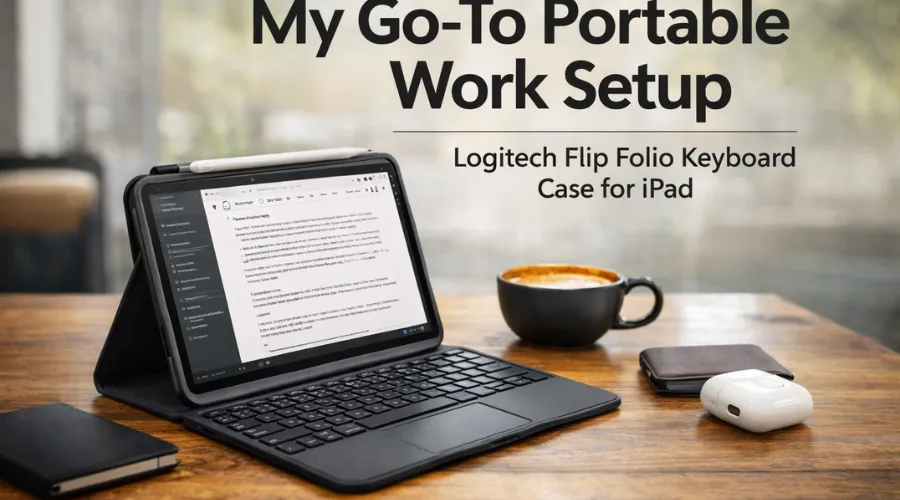

If you work on an iPad, whether you use it for business purposes or to write or study, then you may face the difficulty of typing comfortably on a touchscreen, so I understand that. I do a lot of blogging and email on my iPad as well, and when not at my desk, I do quick photo editing on it. After searching for the perfect accessory for my iPad, the Logitech Flip Folio Keyboard Case has changed the way I use it forever! It is not only a keyboard case but also an entire setup for productivity away from my desk.
In today’s blog post, I will detail my personal experiences with the Logitech Flip Folio and discuss why I believe it is one of the most efficient accessories for iPad users.
Which Is Why I Selected The Logitech Flip Folio Keyboard Case For My iPad
I had tried several generic keyboard cases for my iPad before finding the Logitech case. While usable, they frequently had some bulk or limited how I could use my iPad (by being too close or too far from my body).
What was most important to me was that my device (the iPad) could achieve the following:
* Faster & easier typing
* Outstanding protection
* Lightweight when travelling
* Various angles to view the screen
The Flip Folio met all these criteria, thus quickly becoming my go-to daily accessory.
How a Removable Keyboard Can Make All the Difference
One of the most important features of this Logitech Flip Folio Keyboard for iPad is the ability to remove the Bluetooth keyboard from the case. Unlike many keyboard cases, which keep the keyboard inside; this case lets you separate it so you can place your iPad in the best ergonomic viewing position and keep the keyboard at whatever distance feels right to you.

For example, if I’m working in a café or shared office space, I can keep my keyboard on the table and use the stand to elevate my iPad just above the countertop. This gives me a similar feel to using my laptop, but with much greater versatility!
When I finish, I can use the magnets built into the case to store the keyboard inside the case until the next time I need it.
Work and Play with Different Viewing Angles
The Logitech Flip Folio Keyboard Case for iPad has a multi-angle kickstand, which I really like.
The angle of the kickstand is easily adjusted for comfortable typing, sitting back while viewing content, and an upright position during video calls. I can also put the iPad in either a landscape or portrait orientation to read an article or edit a document.
These are all small design details that make using the iPad feel like more than just a tablet but more like an all-in-one workstation.
Thin Construction with Dependable Safety
At all times, I have a concern regarding how bulk will stack up with iPad accessories. My preference is that my organization remain minimal when I am either on the road or commuting.
The Logitech Flip Folio Keyboard Case for iPad is lightweight and protects the front & rear of my iPad while still preserving the device’s overall form. Screens and bodies of the devices will be protected from scratches/impacts and wear/tear during normal use—whether in a backpack or on me as I walk from one meeting to another—to fully protect my iPad.
Improved Productivity through Multi-Device Connectivity
One outstanding feature of the Logitech Flip folio keyboard for the iPad is the ability to connect to multiple Bluetooth devices.
This enables me to easily switch between my iPad and phone—a huge time-saver for someone like me, who frequently replies to messages and updates their notes across various devices.
What Kind of People Will Benefit from the Logitech Flip Folio Keyboard Case for iPad?
I have been using this keyboard case regularly and feel it is ideal for:

Students
With the physical keyboard, it is much easier to take notes, complete your assignments and study.
Content Creators and Bloggers
Typing longer articles or editing content on an iPad is easier with a physical keyboard.
Remote Workers
By using the iPad as a small but effective work setup for all things email, document work, and meetings.
Those Who Travel
If you want to be productive without carrying a laptop, this accessory is an excellent choice.
My Final Thoughts
In general, the Logitech Flip Folio Keyboard Case for the iPad has become an essential part of my daily workflow because it combines portability, protection, and productivity in a natural and convenient way. The removable keyboard, adjustable stand, and slim protective case are all features that are great for someone who wants to turn their iPad into a flexible mini-workstation.
If you currently use your iPad for business or school, adding this accessory will help you use it more comfortably and effectively.
FAQs
1. What is the Logitech Flip Folio iPad Keyboard Case?
Logitech’s iPad Flip Folio Keyboard case is a multi-functional case designed to improve your productivity with your iPad. This case combines a durable cover that protects your iPad and serves as a stand with a detachable Bluetooth keyboard.
2. Is the keyboard detachable from the Flip Folio?
Yes, a major benefit of the Logitech Flip Folio is its detachable keyboard, which offers greater flexibility in use.
3. Can I connect my keyboard to other devices?
Yes, you can connect your keyboard to multiple devices via Bluetooth, so you can easily switch between your iPad and other devices without hassle.
Q4: Can the Logitech Flip Folio keep protecting the iPad?
Ans: The Flip Folio case protects the iPad’s front and rear ends. Thus, Flip Folios help reduce damage to an iPad from scratches, dents, and other typical daily use.
Q5: Is the Logitech Flip Folio suitable for traveling?
Ans: The Flip Folio Keyboard Case for iPad is a lightweight, slim, and portable case suitable for anyone who needs a productive arrangement while away from home.